Group shortlisting guide
How to compare rentals with housemates.
A useful shortlist separates facts from opinions, makes the next action obvious and gives everyone one place to record context.
1. Agree on the fields before collecting links
Start with the facts that can rule a property in or out. RentHuddle’s visible shortlist includes the core fields below; your group can use the Notes column for requirements not represented by a dedicated column.
| Field | Question it answers | Good group rule |
|---|---|---|
| Rent / mo | Is it inside the group budget? | Record whether the budget includes bills. |
| Beds and baths | Does the layout work? | Agree on minimums before scoring. |
| Size and type | Is the space suitable? | Leave missing areas blank; do not guess. |
| Listing link | Can everyone verify the source? | Keep the original page attached to each row. |
| Notes | What is not captured elsewhere? | Use short, factual notes with dates when relevant. |
2. Rate consistently
A one-to-five rating is only useful when the group shares a rough interpretation. One practical scale is:
- ★★★★★ — meets the essentials and is a top choice.
- ★★★★ — strong option with a manageable compromise.
- ★★★ — possible, but needs more information.
- ★★ — major concern; keep only as a fallback.
- ★ — does not meet the agreed requirements.
Use the notes to explain an unusual rating. Avoid averaging away a hard constraint such as accessibility, commute or affordability.
3. Make viewing status operational
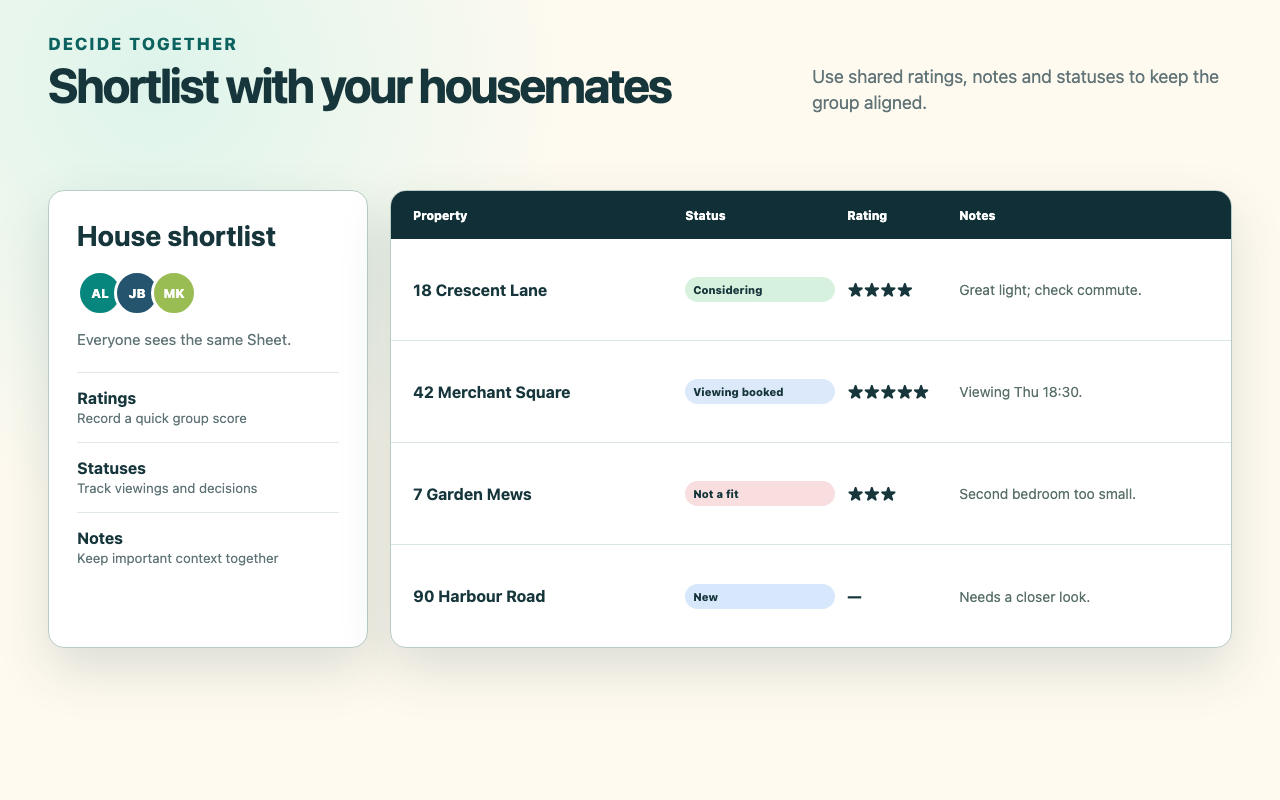
RentHuddle’s statuses describe where a property is in the group’s process:
- New for an unreviewed listing.
- Viewed after the group has checked the listing details.
- Considering for a credible option.
- Viewing booked when the appointment is confirmed.
- Applied after submitting an application.
- Not a fit when the group has ruled it out.
- Archived for an unavailable or no-longer-active option.
Update the status as soon as an action occurs. That prevents two housemates from contacting the same agent or discussing a property that has already been rejected.
4. Organise notes for decisions
Keep notes scan-friendly. A useful pattern is fact; concern; next action. For example: “Ten-minute walk to station; second room looks narrow; ask for dimensions at Thursday viewing.” Avoid placing account information, access tokens or private documents in the shortlist.
How RentHuddle supports the workflow
RentHuddle captures a supported Rightmove, Zoopla or Zillow listing into a review form, then saves the details you approve to a formatted Google Sheet. The Sheet remains the shared interface: use Google’s own sharing controls, then edit the status, rating and notes alongside each property.
The extension does not decide which property is best, contact agents or operate a developer backend. It keeps the comparison inputs organised so the group can make the decision.